
These days, Bridgat is quite different. It’s no longer a business listing directory, but focuses on weather and climate across the world. Being weather-oriented, it’s not entirely valuable for a business that’s searching for new customers online. But there is a solution – you may choose Advice Local’s comprehensive listing services to help your clients get found online.

-
Click on the above URL.
-
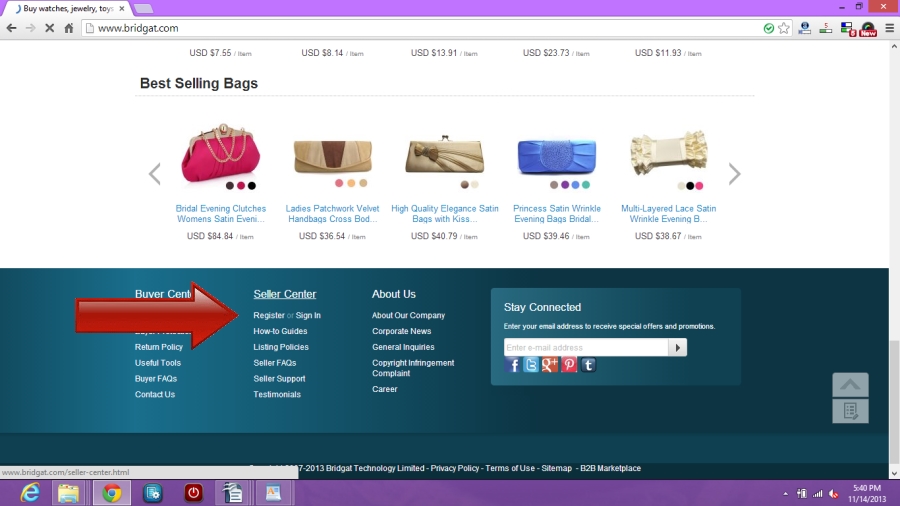
Scroll down to the very bottom of the page and click on “Register” under the Seller Center Tab.
-
It is important to note at this point that Bridgat is a site for businesses with products or software for sale.
-
Fill in all fields with required information. A valid cell phone number will also need to be included as Bridgat sends a 5 digit confirmation code required to validate your account.
-
An email will be sent to the email address you provided. A temporary password will be included in that email. Log back in to Bridgat using your email address and the temporary password. You will then be prompted to change your password.
-
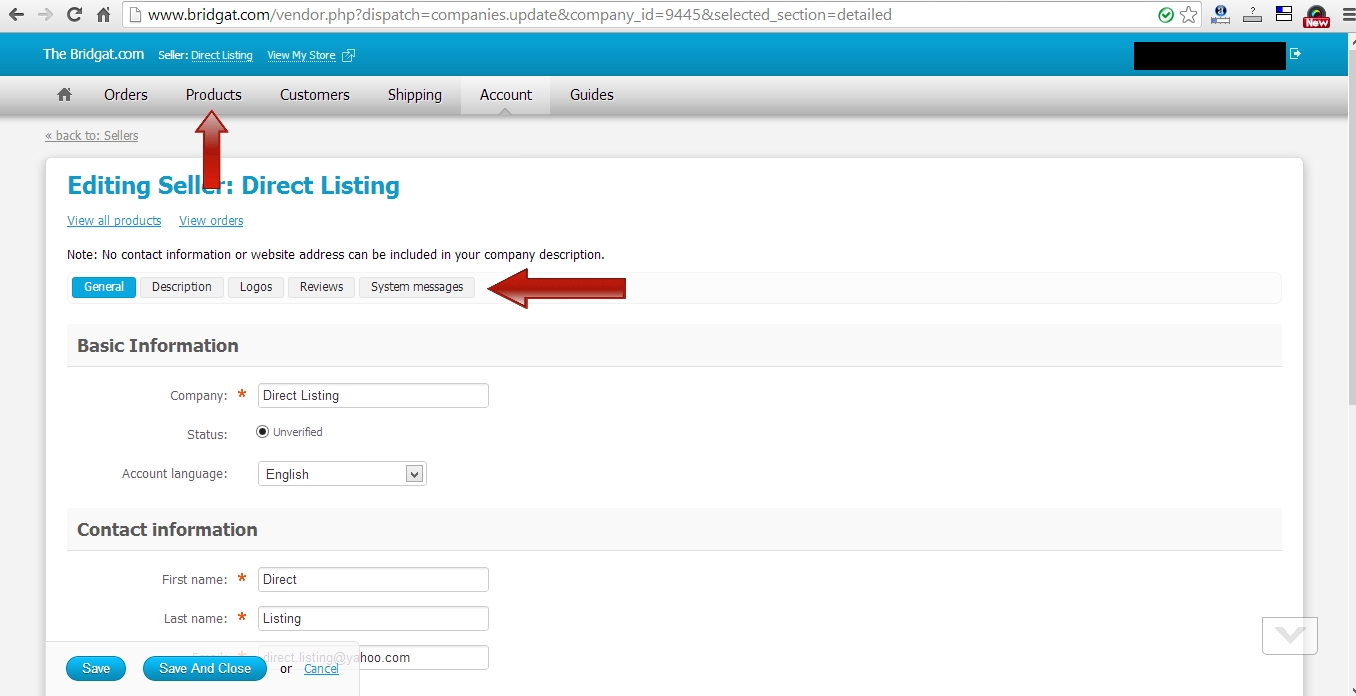
The next page will have been filled out with the information provided. It will also state that your account is unverified. To verify your account, click the “Send Confirmation Code” link which is to the right of your cell phone number information. You will receive a text with a confirmation code. Enter this code in the field under your cell phone information. Review all information to ensure it is correct then click “Save”.
-
After saving, you will still remain on the same page. This is so you can add products and specials under the “Products” tab at the top of the page.
-
You can also enhance your description, add a logo for your invoices, a logo for your customer area, check reviews, and system messages in the respective tabs of the same name.
-
There is a handy guides tab to walk you through the more complex areas of the site such as working out shipping fees, getting statistics on sales, and even viewing and printing shipping slips.
-
You can log in any time by clicking the link at the top of this “how to” and entering your log in details.